


Founders' launch · free privacy screen and free shipping on pre-orders until Dec 31, 2026
PasCalculator · by Pascal

Every step, calculated.

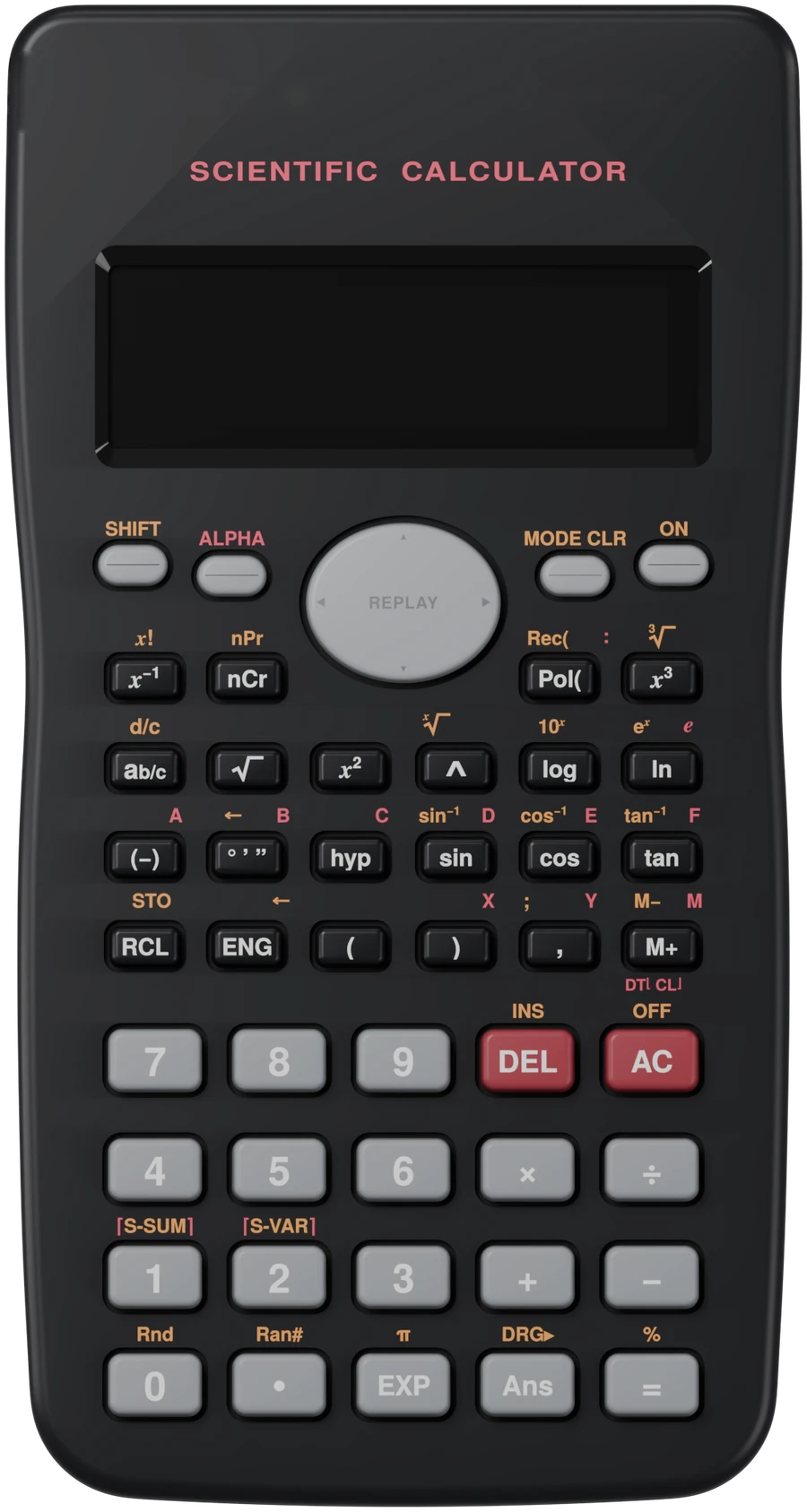
A real scientific calculator with Cal inside. Press ALPHA and Cal explains your problem step by step. Works offline, and your phone shows the same screen, live.

$59 Launch price$69 after Dec 31, 2026 · USD
Founders' Launch EditionBest value
  • PasCalculator$59
  • Privacy screen$9 Free
  • Slide-on coverIncluded
  • Shipping to Canada and the USFree
  • Ships March 2027 (est.). Pay now, we email your ship date.
  • 30-day returns, even if your school says no.
  • 1-year warranty and free software updates over wifi.
Try it

Press the real keys.

Pick a tour. The glowing key is the one to press. Every screen you see is drawn by PasCal's own software. In the app, your phone shows the same screen, live.

Step 1

Type 12 ÷ 3 + 4 × 2

    You can also use your keyboard: numbers, + − * /, Enter for =, Backspace for DEL, Esc for AC.

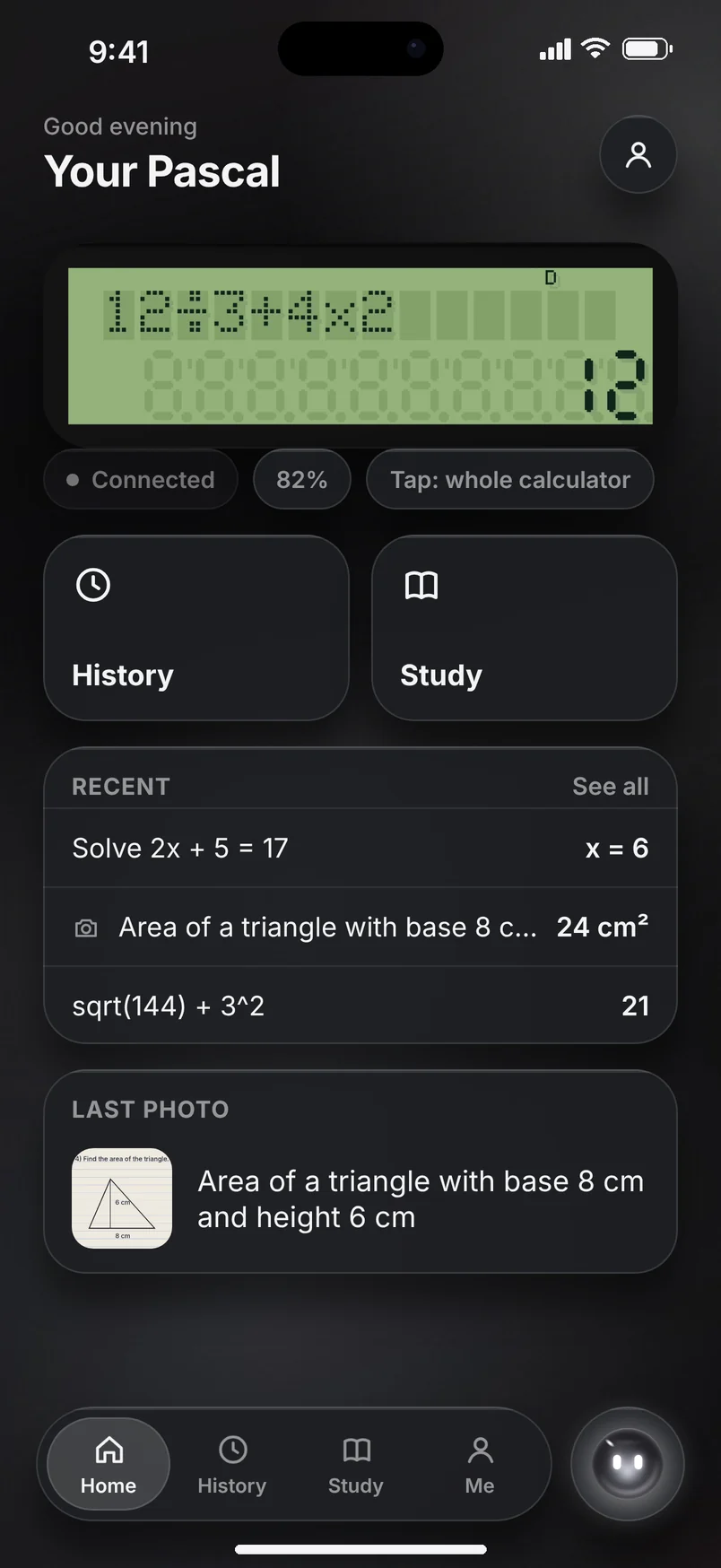
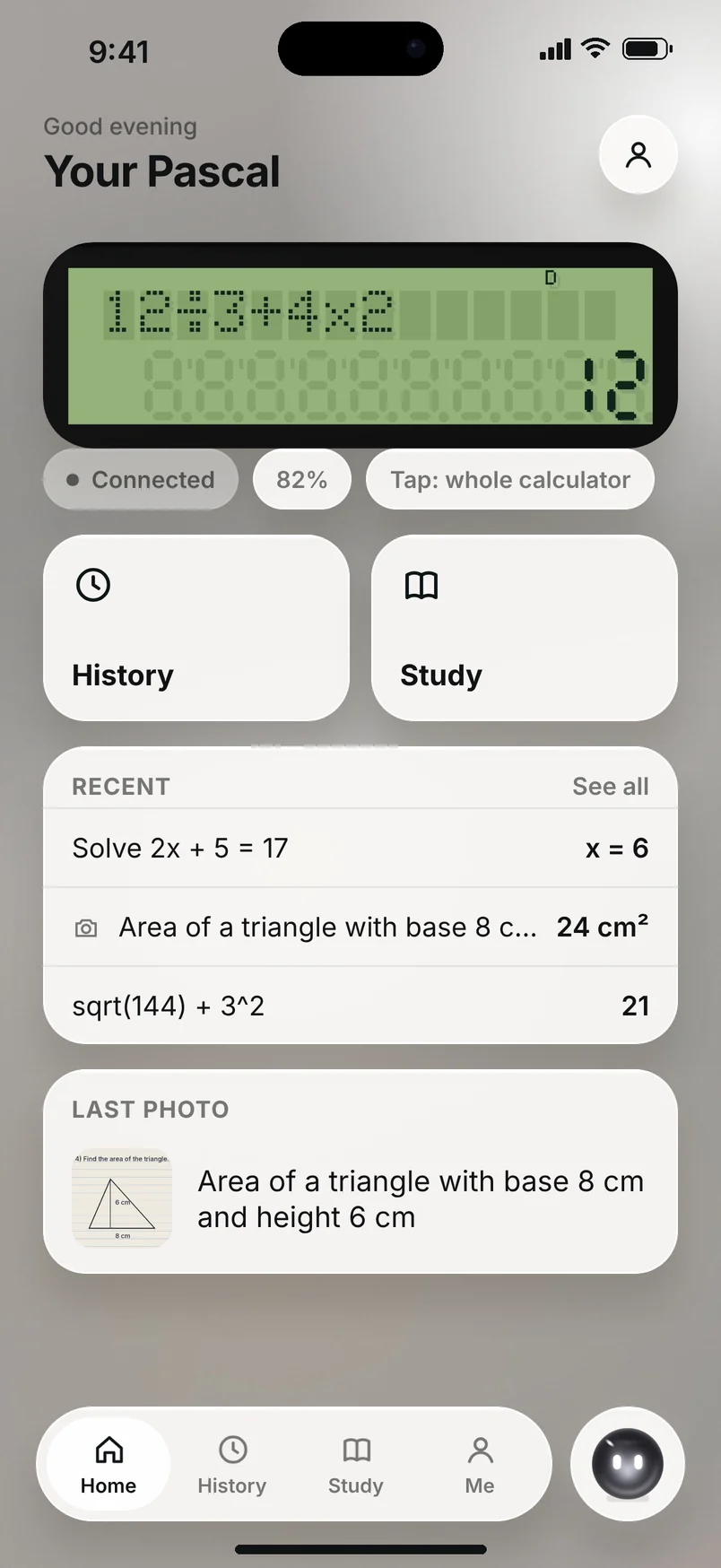
    The app's home screen showing the calculator's screen The app's home screen in light mode
    Live on your phone
    Tap him. He doesn't love it.
    Meet Cal

    Cal lives inside your Pascal.

    Cal is short for calculator. In PasCal, "pas" is French for "step", and every step Cal shows you is one. In the app, Cal knows every button and setting, takes you straight to the right screen, and remembers your school subjects.

    Try one. This page works like the app: Cal does it for you.
    SHOWS YOU

    Takes you to the right screen

    Ask how to change the look and Cal opens the right page and points at the right switch. Ask him to make it dark and he just does it.

    REMEMBERS

    Learns what you study

    Tell him your subjects once. His suggestions change for algebra, physics or chemistry. He only keeps school things, and you can wipe it any time.

    ON YOUR SIDE

    Helps you practise

    Cal sees which topics you ask about most and gives you a few practice problems on them, so you learn the method.

    The app · iPhone and Android

    Everything you ask, kept for you.

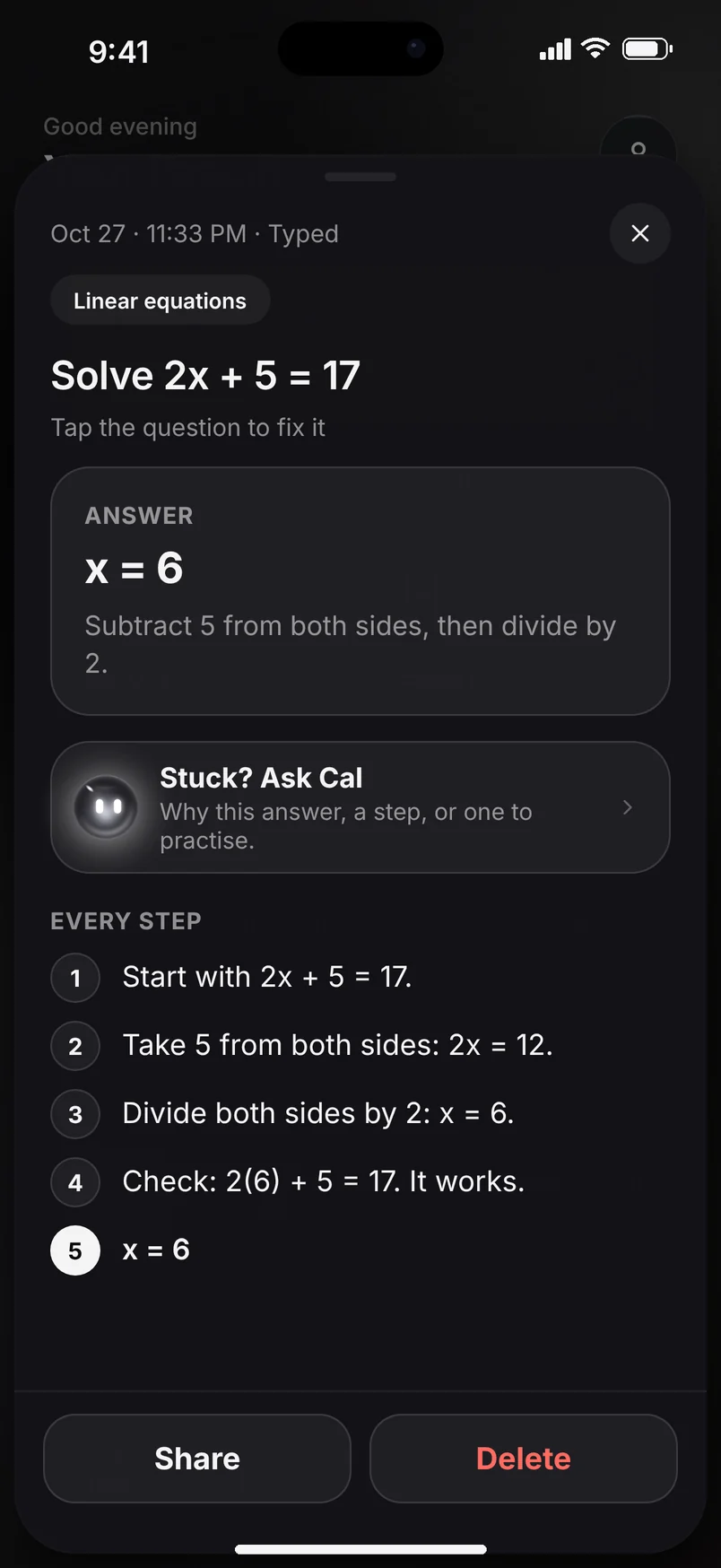
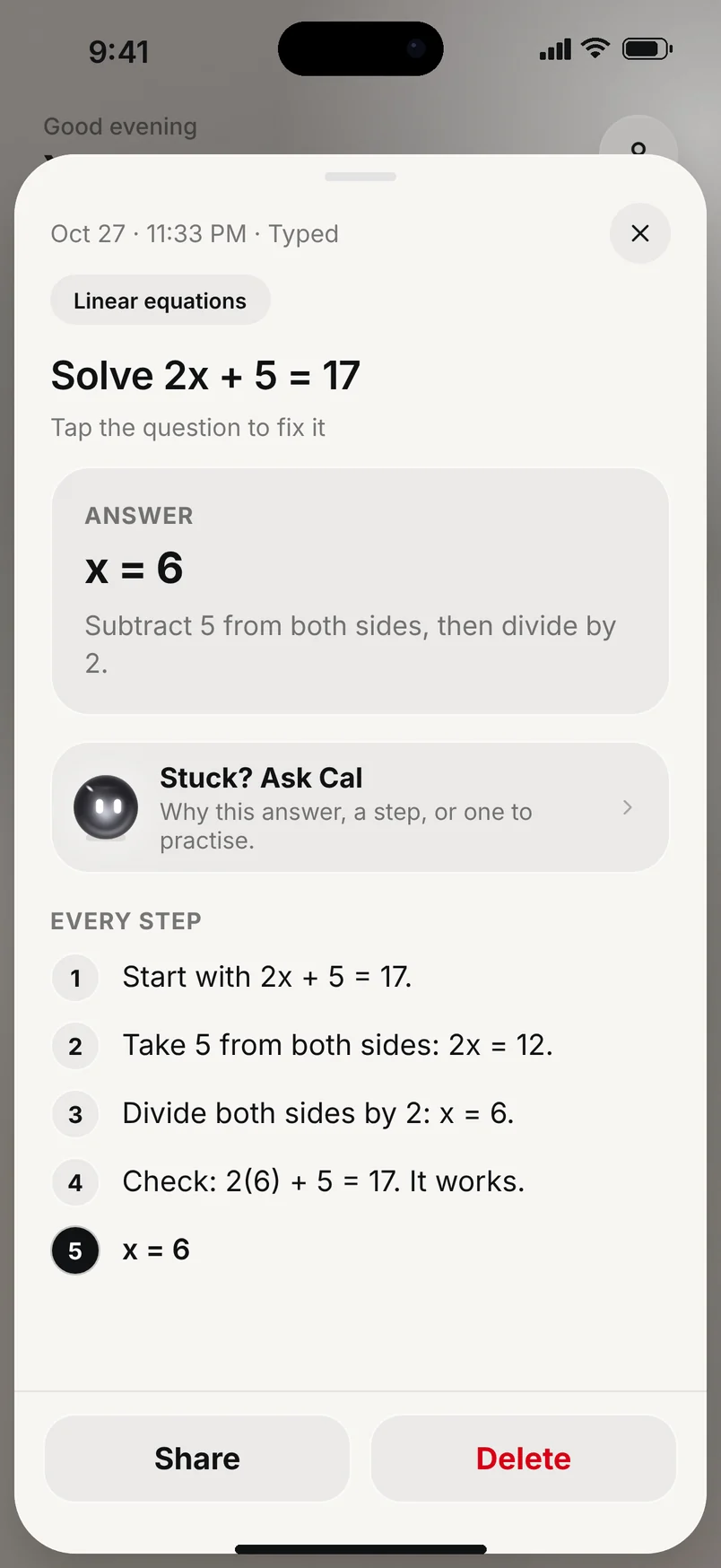
    Every question you ask on your Pascal lands in the app with the answer, every step and the photo. Light or dark, it follows your phone.

    Home: the calculator's live screen and your latest questionsHome in light mode
    Live screenYour Pascal's screen on your phone, as you type.
    An answer with every stepAn answer with every step, light mode
    Every stepTap a question for the answer and every step.
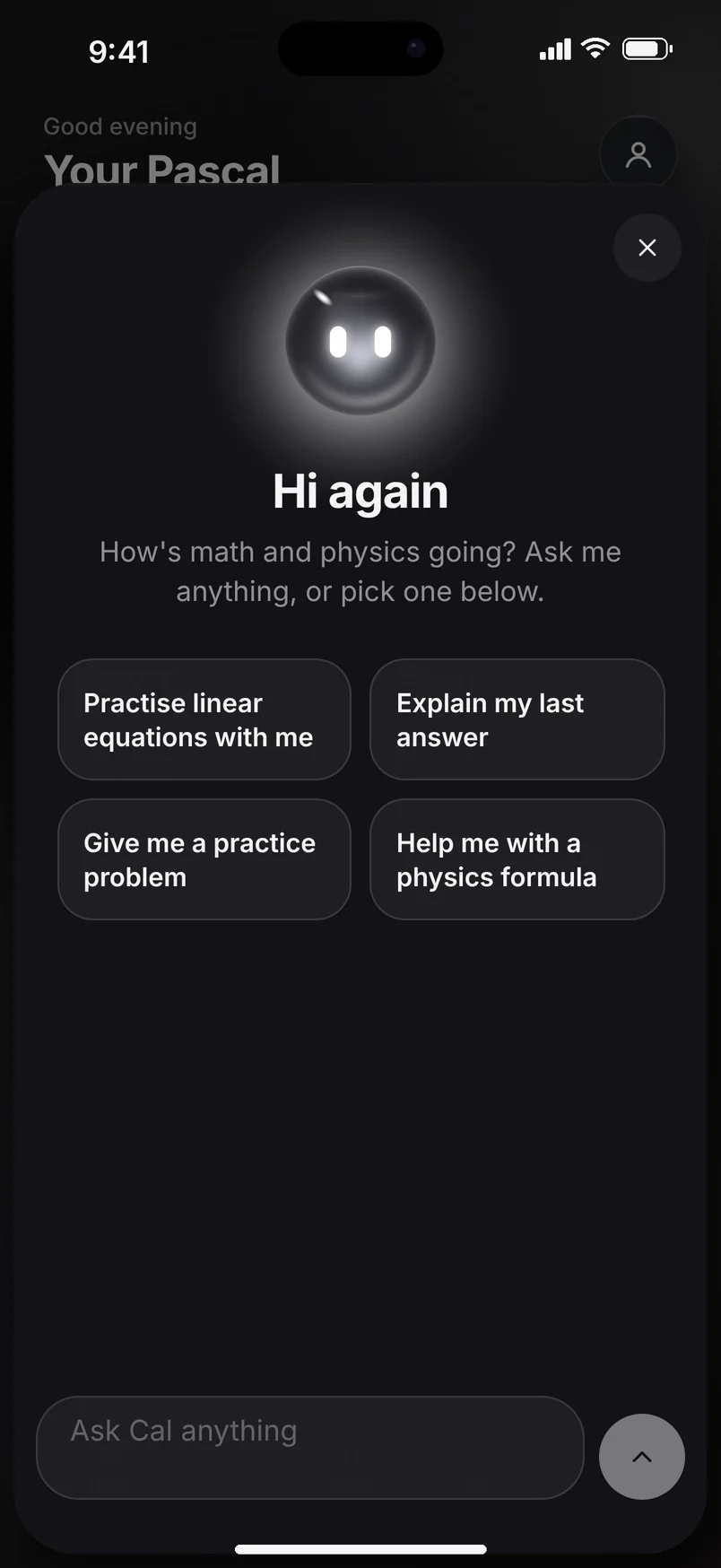
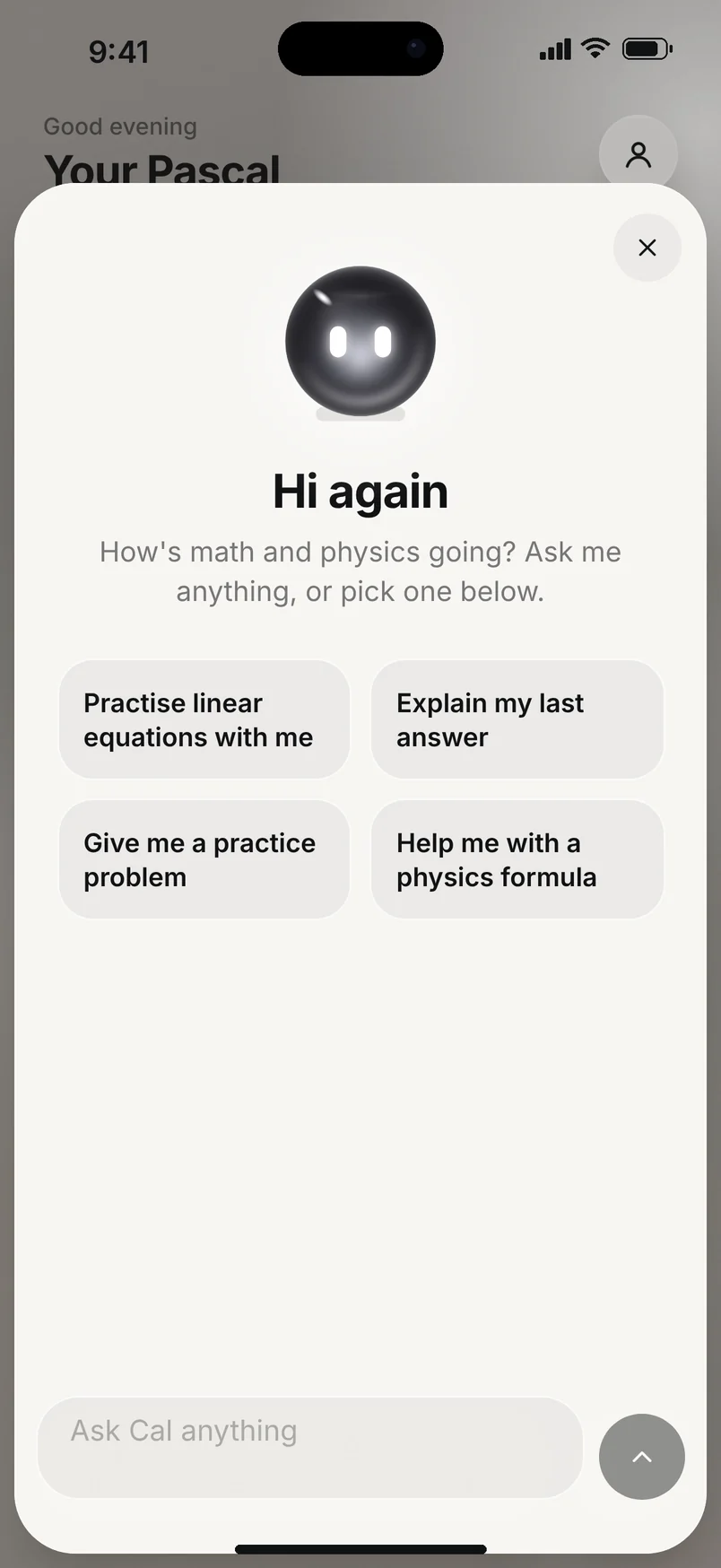
    Cal saying hi again, with suggestions for the student's subjectsCal in light mode
    Ask CalSuggestions change with your subjects.
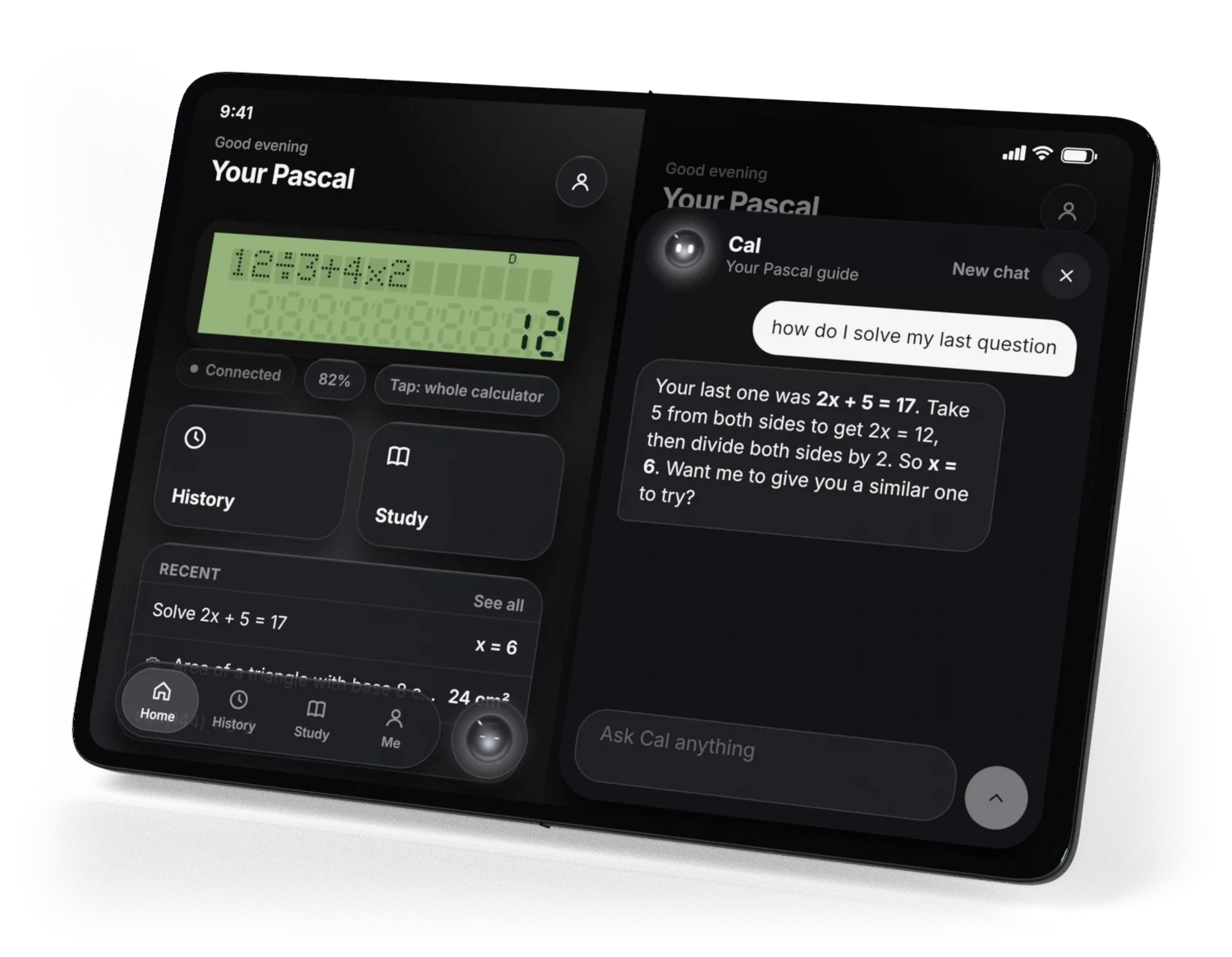
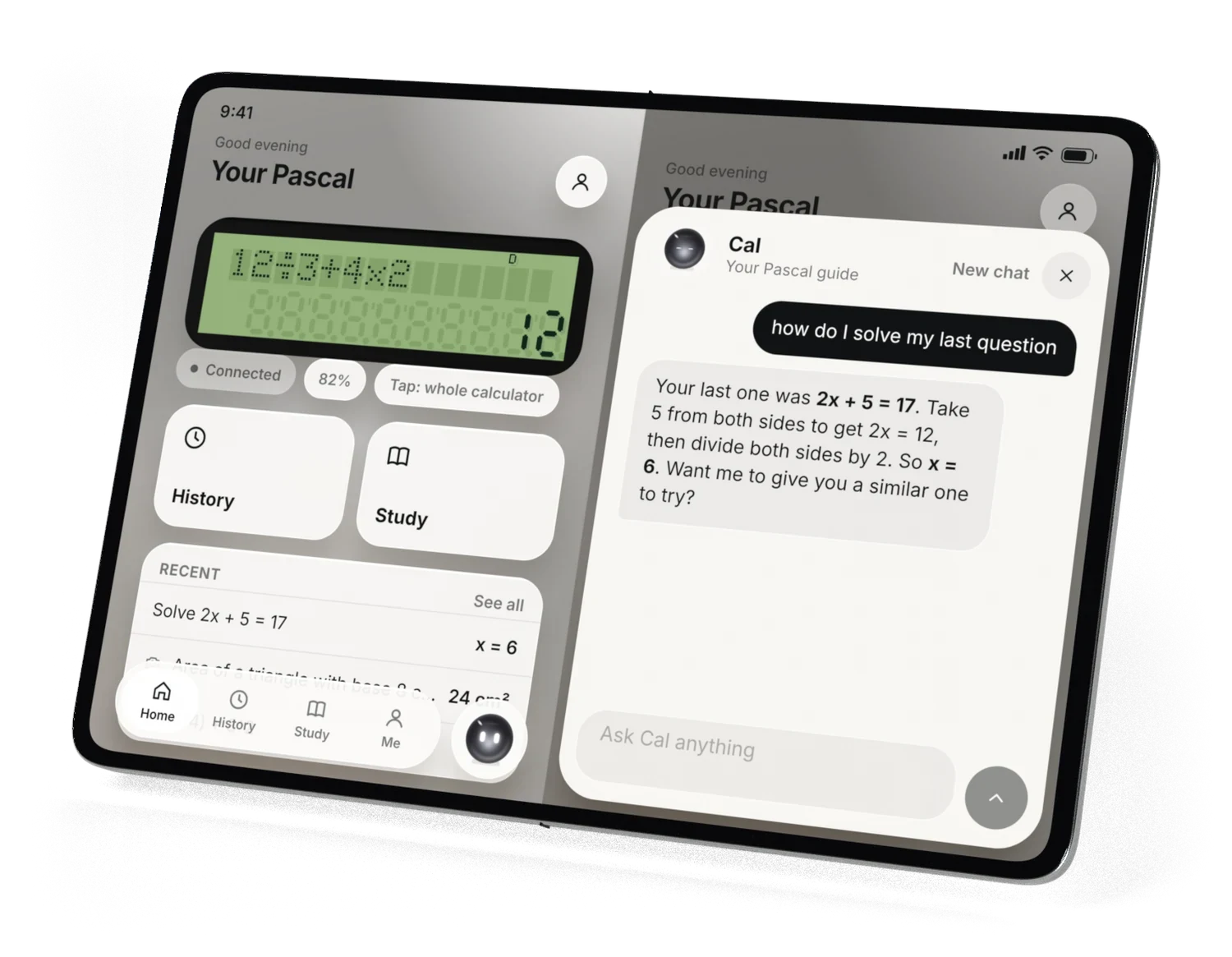
    iPhone Duo opened, with the app's home screen on the left and Cal on the right iPhone Duo in white, opened, with two app pages side by side
    Concept On iPhone Duo: two pages side by side, Home on the left and Cal on the right.
    Honest by design

    Made to help you learn, not to do the work for you.

    Hint first: a nudge before the answer.

    • Hint first, if you want it. One setting makes Cal give you a nudge before the answer, so you try it yourself.
    • Every step, then a check. Press = on an answer to see how it was done, in plain words.
    • Practice that's like it. In the app, Cal can give you a similar question to try.

    Says when it isn't sure

    Cal's answers come from AI and can be wrong. If a photo is unclear, Cal asks for a better one instead of guessing.

    Checks its maths

    Plain sums are worked out exactly by PasCal's own maths engine, offline, like any scientific calculator.

    The keys

    Six keys to know.

    Everything else is a normal scientific calculator.

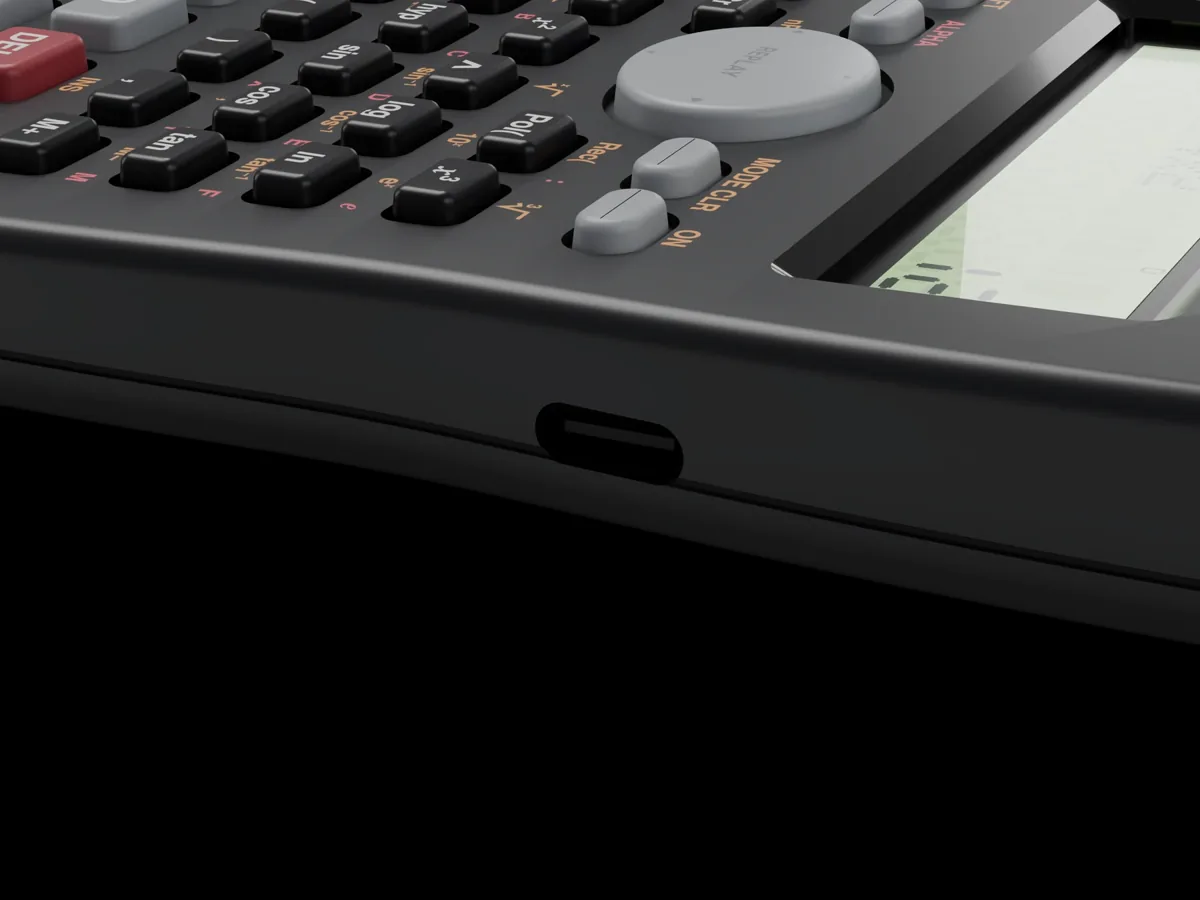
    The USB-C port on the right side of the PasCalculator
    Battery

    Charges with USB-C.

    No coin batteries to swap. Plug in the same cable as your phone. The port is on the right side.

    Guides

    Set up in a few minutes.

    Short guides with the real screens. Press Next to go through them.

    Why PasCal

    The first calculator was built by an 18-year-old. So is this one.

    In 1642, Blaise Pascal started building a machine to help his dad with his tax sums. He was 18. People called it Pascal's calculator. I'm 18 too, and I built the PasCalculator because I wanted a calculator that shows me how, not just what. Every calculator screen on this page is drawn by its real software.

    Luka, founder · Canada

    Founders' Launch Edition

    Get your Pascal.

    PasCalculator, a free privacy screen, a slide-on cover and free shipping. $59 until Dec 31, 2026, then $69.

    Ships March 2027 (est.) · 30-day returns · 1-year warranty

    FAQ

    Good questions.

    Can I use it in a test?
    Ask your teacher first. For the SAT, ACT, AP and IB exams, no: they don't allow calculators with a camera or wireless. Bring a basic calculator to those. If a teacher allows it in class, there is an exam mode that turns Cal, the camera and wifi off and shows EXAM on the screen. How to use it.
    When does it ship?
    Pre-orders ship in March 2027 (est.). We email you the exact date before it ships. If we're going to be late, we tell you before the date and you can cancel for a full refund.
    What's in the box?
    The PasCalculator and its slide-on cover. The Founders' Launch Edition also has a privacy screen: a thin film for the calculator's screen. You see it straight on, and people beside you don't.
    Does it work without wifi?
    Yes. It's a full scientific calculator with no wifi at all. ALPHA and the camera need wifi, and your Pascal tells you when it can't reach the internet.
    Do I need a phone or a subscription?
    No phone needed: on the first screen, press = to set up wifi on the calculator. The app adds History, Study and Cal. Subscription plans aren't final yet. The calculator itself never needs one.
    Which phones work with the app?
    iPhone and Android, both at launch. Sign in with Apple, Google or your email.
    Is the answer always right?
    No tool is right every time. PasCal works out plain sums exactly with its own maths engine and checks equations before Cal explains them. If a photo is blurry or unclear, Cal says so, and you can retake it with your phone in the app.
    What if I don't like it?
    Send it back within 30 days of delivery for a full refund, for any reason, including "my school won't allow it". It also has a 1-year warranty.
    What happens to my photos?
    Photos are used to read the question. They delete themselves after 30 days, and you can delete everything from the app any time. Cal only remembers school things, like your subjects, and you can wipe that too.